Short answer
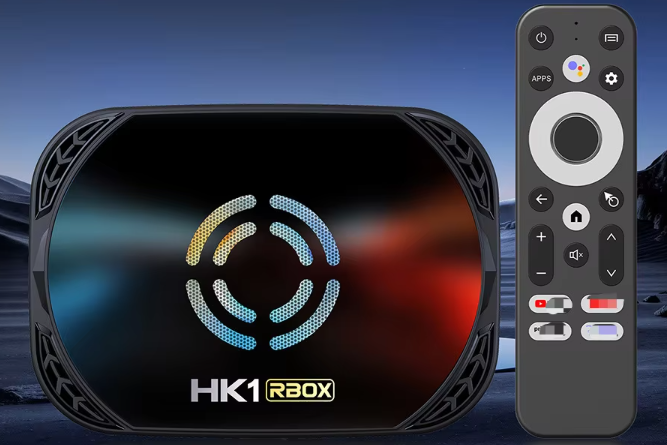
This week, Google shut down a botnet of about 1.3 million Android TV boxes that shipped from the factory with a hidden backdoor called XCPe. We tested the HK1 X50 we sell, in-house, and it came back clean: no XCPe, and no signs of the other well-known TV-box malware either.
Update, November 7: We’ve now also tested the HK1 X4 (S905X4), set up exactly as we deliver it to customers. It came back clean too: no XCPe, Vo1d or BadBox. The full test results are on our Device Security & Safe Sideloading page.
What is the XCPe backdoor?
XCPe is a hidden program, x.cpe, that the Chinese manufacturer Videostrong built into its boxes at the factory. Videostrong makes MECOOL boxes, and builds boxes for other brands too. Google says the company knowingly sold access to criminals.
Infected boxes could be controlled remotely. Most were used to resell owners’ internet connections as “residential proxies” and to fake ad views, but the backdoor could also install apps silently, capture the screen and copy account details. Because it lives in the firmware, a factory reset doesn’t remove it.
How we tested
We took a new HK1 X50 and an HK1 X4 set up the way we deliver it, and connected each one directly to a computer. We checked every installed app, every running program and every network connection against the warning signs published by Google and the security researchers who found XCPe.
What we found
- XCPe backdoor: not found, along with its known helper and disguise apps.
- Manufacturer: not a Videostrong or MECOOL build.
- Vo1d and BadBox malware: no signs of either.
- Network: no connections to unknown servers, only normal Google services.
These results apply to both boxes. No test can prove a device is 100% clean, but neither box shows any of the known signs.
Is your box affected by the XCPe backdoor?
If you own a MECOOL box, or a no-name box you’re unsure of, it’s worth checking. Go to Settings → Apps, turn on Show system apps, and look for anything named x.cpe, com.abc.nexus or com.oemservice. Other warning signs include apps you didn’t install, settings changing on their own, or heavy data use while the box is idle.
If you find any of these, unplug the box from your network and get in touch. A reset won’t fix it, so the safest option is usually replacing the box.
Sideloading safely
The boxes we set up are open, so you can install the apps you want. That freedom means what you install matters more. Popular apps from their official sources carry little risk; the danger comes from unknown apps and repackaged copies. Our Device Security & Safe Sideloading page has a five-minute checklist to run before you install anything from a source you don’t fully trust.
VPN note
Whichever box you use, protect the connection too. We recommend IPVanish on every setup we do. Get the IPVanish Black Friday deal here
Let’s talk
Worried about your box, or want one that’s been tested before it reaches you? Book a free consultation and we’ll take a look.
Sources:
Black Friday Deal: IPVanish’s biggest discount of the year is live on every plan.
Protect your privacy while streaming. Lock in your savings today.