This Week in Streaming
By EverythingStreaming Staff | Sunday, July 12, 2026
If you own an Amazon Fire Stick, we need to talk. Amazon has been quietly making moves that are changing everything you thought you knew about your device — and millions of users have no idea it’s already happening. Between a brand-new proprietary operating system, aggressive app disabling, and a hard wall against sideloading, the Fire Stick you bought may not be the one you’re keeping. Here’s everything you need to know, and what we recommend you do next.
🚨 What Is Vega OS — And Why Should You Care?
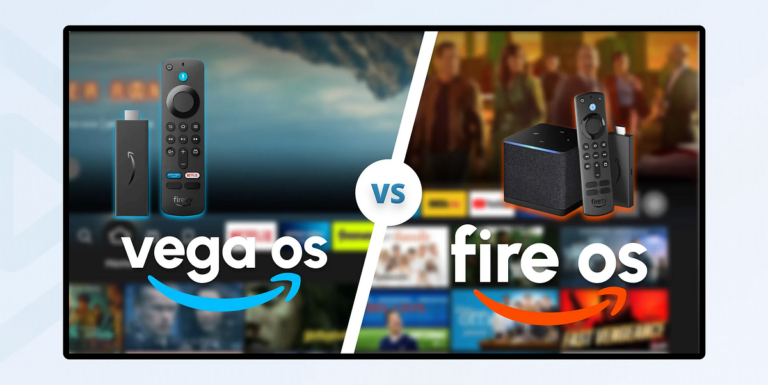
In October 2025, Amazon quietly launched the Fire TV Stick 4K Select — the first consumer device running Vega OS, its brand-new proprietary operating system. This wasn’t just a version update. Vega OS is a complete ground-up rebuild based on Linux, not Android. That distinction is everything.
- No Android = No Sideloading. Period. Because Vega OS isn’t built on Android, there is no APK package manager, no Developer Options toggle, no Unknown Sources setting. There is no workaround. If your Fire Stick runs Vega OS, you are permanently locked to the Amazon Appstore — end of story.
- Every new Fire Stick going forward runs Vega. Amazon confirmed in April 2026 that all future Fire TV Sticks — including the newly announced Fire TV Stick HD — will launch on Vega OS. The era of the open Fire Stick is over.
- Amazon is calling it a security upgrade. The VP of Fire TV cited malware risks and piracy. In reality, Vega also gives Amazon total control over what you watch, which ads you see, and how you interact with your home screen.
⛔ Apps Being Disabled — Even on Older Fire Sticks
Think your older Android-based Fire Stick is safe? Think again. Amazon’s crackdown didn’t stop at new hardware. Through a partnership with the Alliance for Creativity and Entertainment (ACE) — a coalition that includes Netflix, Disney, Sky Sports, Amazon Studios, the Premier League, Sony, and Paramount — Amazon began remotely disabling apps on existing Fire OS devices in late 2025.
- How it works: Fire OS scans your installed apps and checks package names against ACE’s global blacklist. If a match is found, the app is disabled with no warning. The alert reads: “One or more apps on your device have been identified as using or providing access to unlicensed content and will be disabled.”
- Apps already flagged include Stremio, Magis, and CyberFlix, among others. Amazon has also updated its detection to identify app code even when the package name has been changed — closing the renaming workaround that some users were relying on.
- This applies to every Fire TV device you own, old or new, through automatic software updates. Your device, their rules.
- Legitimate apps like Kodi, Plex, Jellyfin, and VLC are not currently targeted since they require user setup to function — but the direction of travel is obvious.
📦 The Best Android TV Alternatives Right Now
If this is your wake-up call, you’re not alone — and the good news is that solid open Android alternatives exist that keep your freedom fully intact. Here’s what we recommend:
- Onn 4K Pro — Good budget pick. Walmart’s Onn 4K Pro runs full Google TV on a completely open Android platform. Sideloading works exactly like old Fire OS — no restrictions, no blocks. It packs a quad-core processor, 3GB RAM, 32GB storage, Wi-Fi 6, Dolby Vision, Dolby Atmos, an Ethernet port, and a USB port. All for the same price as a Fire TV Stick 4K Max.
- Google TV Streamer — Great all-around. Google’s own streaming box runs a fully open platform, includes 32GB of storage, doubles as a smart-home hub, and shows zero Amazon ads on your home screen.
- NVIDIA Shield TV Pro — Best for power users. Open Android TV, a built-in Plex Media Server, AI upscaling, and complete sideloading freedom. The premium pick for anyone who wants maximum control and the fastest experience money can buy.
🎁 Want It Done For You? Pre-Configured Boxes with Live Support
Picking the right device is only half the battle. Getting it set up properly — with the right apps, the right settings, and the confidence that it’ll actually work the way you want — is where most people get stuck. That’s exactly where we come in.
EverythingStreaming offers quality Android TV boxes that come fully configured and ready to go right out of the box, with live support included so you’re never left figuring things out on your own. No YouTube rabbit holes. No forum posts. No waiting on hold. Just working TV, from day one.
Whether you’re replacing a Fire Stick that just got locked down or you’re setting up an entirely new room, we’ll walk you through it personally and make sure everything works exactly the way it should.
👉 Interested in a pre-configured box with live support? Contact us directly — we’ll get you sorted.
🎯 That’s a Wrap
The Fire Stick you knew is not the Fire Stick being sold today. Vega OS is Amazon’s line in the sand — and they’ve made it permanent. If you rely on your streamer to do more than just play Netflix and Prime Video, now is the time to make a move before the choice gets made for you. The Onn 4K Pro is a fantastic starting point at any budget, but if you’d rather have a fully set-up device with someone in your corner when you need help, reach out — we’ve got you covered. See you next Wednesday.
Black Friday Deal: IPVanish’s biggest discount of the year is live on every plan.
Protect your privacy while streaming. Lock in your savings today.