
Fire TV Sideloading Changes in 2026: Vega OS, Android Alternatives & What To Do Next
Over the past year, Amazon has been quietly changing how Fire TV devices work, and plenty of long-time customers are noticing their new stick doesn’t behave like their old one. Here’s a quick, easy-to-read summary of what’s happening, why it’s happening, and what your options are if you’d rather skip the hassle altogether.
Amazon Is Locking Down Newer Fire TV Sticks
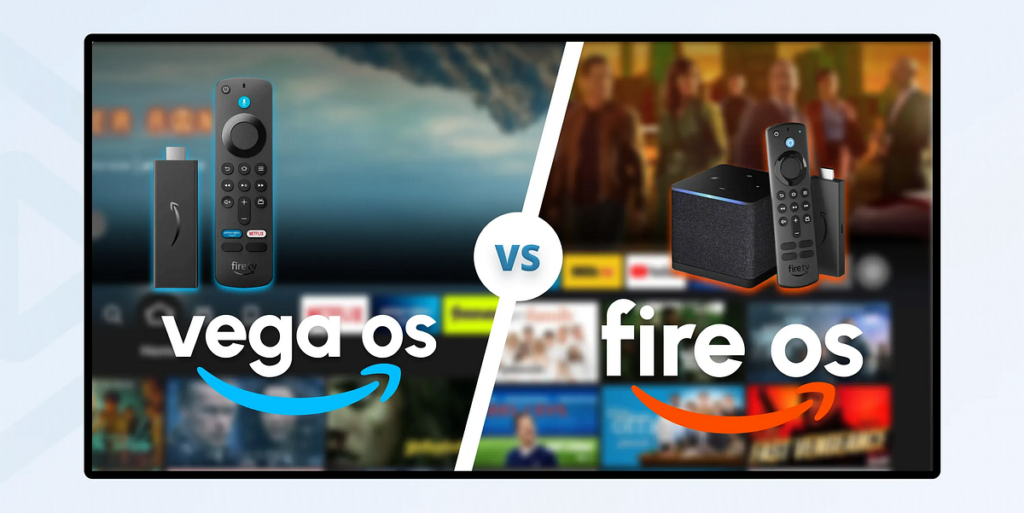
Amazon has begun shifting Fire TV Stick production away from Fire OS, the Android-based system that has powered Fire TV since 2014, toward a new Linux-based platform called Vega OS. Devices running Vega OS block sideloading entirely, so tools like the popular Downloader app won’t install. To make matters more confusing, Amazon doesn’t clearly label which units run which system, so two sticks sharing the same product name (like the “Fire TV Stick HD”) can behave completely differently depending on when they were made. A general rule of thumb: watch out for any model with “Select” in the name, or newer “HD” models with Wi-Fi 6, since those almost always run Vega OS. (Source: AFTVnews.com)
What Exactly Is Vega OS?
Vega OS is Amazon’s in-house operating system that first appeared in 2025 on the Fire TV Stick 4K Select. Unlike Fire OS, it isn’t built on Android, so it can’t run standard Android APK files, has a much smaller app catalog, and launched missing features many users relied on, including full VPN support and sideloading access. Amazon has confirmed that all future Fire TV Stick models will run Vega OS, with no plans to release another Android-based Fire TV Stick. (Source: AFTVnews.com)
This Isn’t Just an Amazon Problem
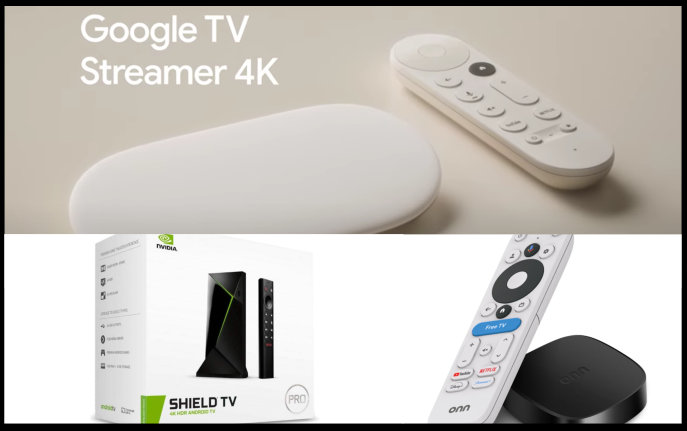
Amazon isn’t the only company tightening the reins on streaming devices. Google has its own sideloading crackdown in the works for certified Android TV and Google TV hardware, which would require app developers to register and verify their identity before their apps could be installed. Regional enforcement is expected to begin around September 2026, with a wider rollout in 2027, and would apply to certified devices like the onn 4K Pro, Google TV Streamer, and Nvidia Shield. Devices that aren’t Google-certified, such as boxes from BuzzTV, Formuler, and Ugoos, would be unaffected. After pushback from dozens of organizations, Google has already softened its stance, so most expect warning prompts rather than a full sideloading lockout. (Source: TROYPOINT.com)
Why So Many People Are Switching to Android-Based Boxes
With Amazon narrowing what Fire TV can do, many cord-cutters are moving to Android TV or Google TV boxes instead. The appeal is simple: more control over what gets installed, continued sideloading access on most models, generally stronger hardware for the price, and a wide range of devices depending on whether you want a simple certified experience or a fully open system.
A Few Android & Google TV Options Worth Knowing
onn (Walmart)
Walmart’s onn. streaming devices, including the onn 4K Pro and onn 4K Plus, have become popular budget picks thanks to solid specs, Google TV software, and prices typically well under $50. They’re a common recommendation for anyone wanting an affordable, easy switch away from Fire TV. (Source: TROYPOINT.com)
Google TV Streamer
Google’s own streaming box, the Google TV Streamer, replaced the older Chromecast with Google TV. It comes with 32GB of storage, 4GB of RAM, and lets you remove pre-installed apps you don’t want, making it a clean, well-supported option for anyone who prefers Google’s ecosystem. (Source: TROYPOINT.com)
Nvidia Shield
The Nvidia Shield TV and Shield TV Pro have long been favorites among streaming and gaming fans thanks to strong processors and excellent app support. That said, persistent rumors suggest Nvidia may be discontinuing the Shield lineup, so it’s worth keeping in mind if you’re considering it as a long-term option. (Source: TROYPOINT.com)
The Easiest Fix: A Fully Set-Up Box With Ongoing Support
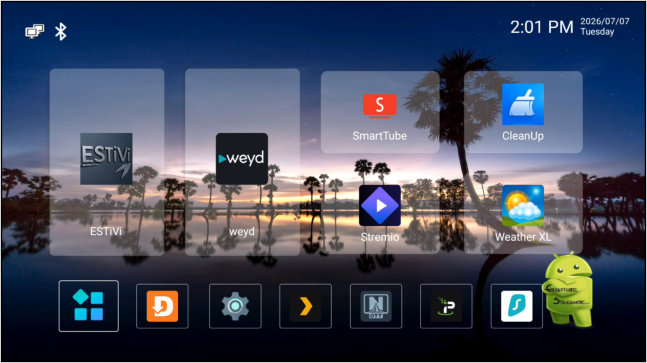
If all of this feels like a lot to sort through on your own, you’re not alone. Rather than researching operating systems, checking software versions, and troubleshooting sideloading issues yourself, many people are choosing a device that’s already fully set up and ready to stream out of the box, backed by ongoing remote support whenever something needs adjusting. It takes the guesswork out completely, so you can just sit back and watch.
Sources
AFTVnews.com – aftvnews.com
TROYPOINT.com – troypoint.com